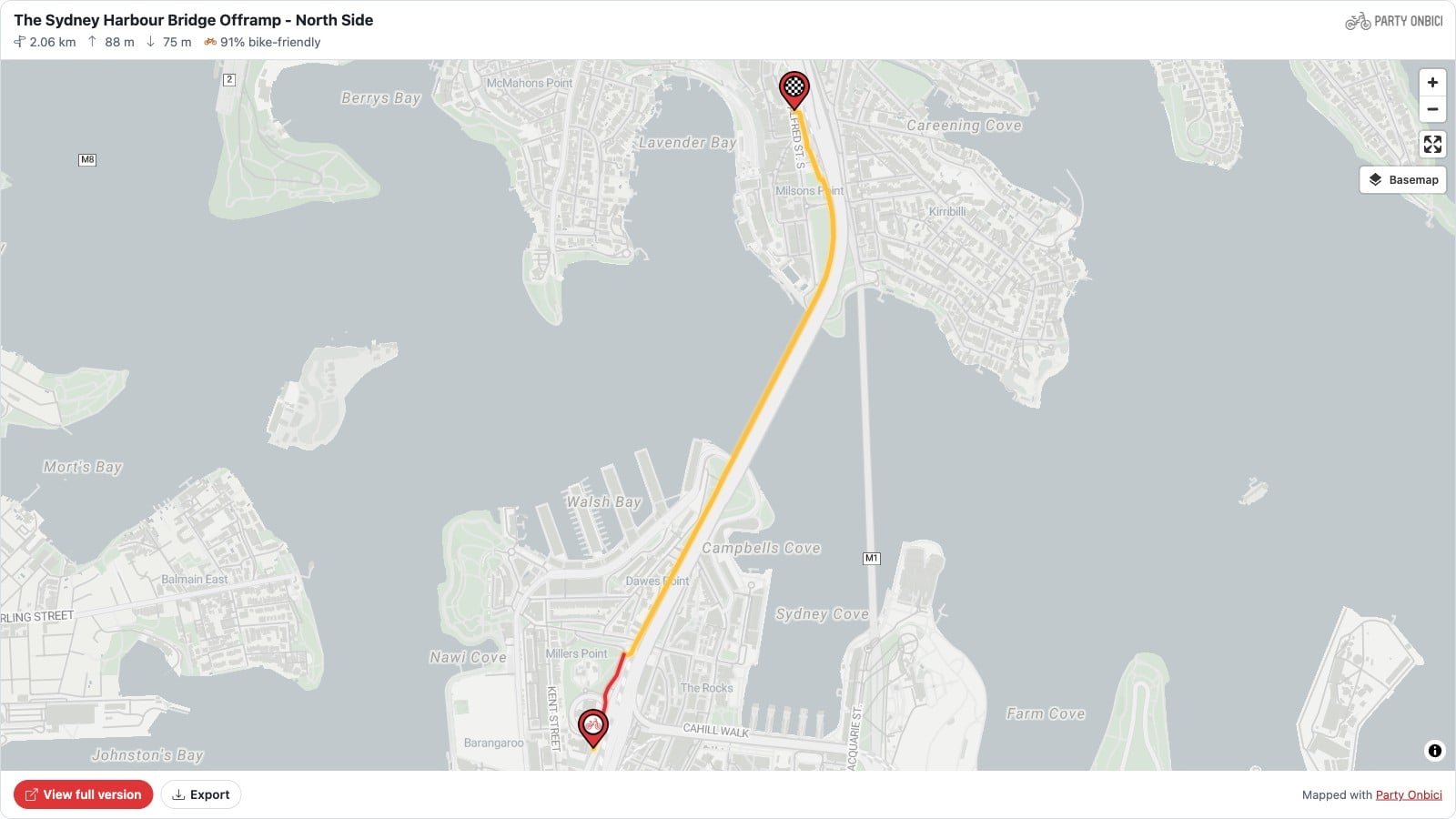
Your bike club has a website. Your school has a newsletter page. Your council has a page about the new cycleway. Until now, showing a ride on any of them meant a screenshot that went stale, or a link that sent people away.
Now you can embed any Party Onbici route or group ride directly into your own site — a live, interactive map with the stats, elevation and downloads, in one copy-and-paste.
See It Working
This is not a picture. It’s a real route from Party Onbici, embedded on this page exactly as it would be on yours. Zoom in, pan around, switch the basemap, or open it full screen:
That’s a 2 km hop across the Sydney Harbour Bridge cycleway. The yellow line is dedicated cycling infrastructure, red is where you share the road, and the header tells you at a glance that it’s 91% bike-friendly.
What’s in an Embed
Every embed carries the same information riders see in the app:
- The route on a live map — zoomable, with bike paths highlighted so riders can see how safe the ride is
- Distance, climb and descent — right at the top, before anyone scrolls
- Bike-friendly score — the share of the route on dedicated cycling infrastructure
- Elevation profile — so nobody is surprised by the hill after the café stop
- Start, stops and finish — with arrival times for group rides that publish a schedule
- Downloads — riders can export the route to GPX and more for their bike computer
- A link to the full version — for anyone who wants to join the ride or save the route
How to Embed a Route or Ride
- Open your route or group ride on partyonbici.com.
- In the share panel, find Embed on your website.
- Pick a height — Compact (420px), Standard (560px) or Tall (720px).
- Click Copy code and paste it into your website’s HTML.
That’s it. It works in WordPress, Squarespace, Wix, Google Sites, Webflow, and anything else that accepts an HTML or “embed” block.
Handy Options
Add these to the end of the embed link if you need them:
?theme=darkor?theme=light— force a colour scheme (by default the embed follows your visitor’s settings)?elevation=0— hide the elevation profile, great for short embeds in a sidebar
Privacy Stays in Your Hands
Only public and unlisted routes and rides can be embedded. Private rides and organisation-only rides never render in an embed — not even if you’re logged in as the organiser. If a route is later made private, the embed simply shows a polite “not available” message instead of the map.
Embeds are also fast: they’re served from our CDN, so a busy club page won’t slow anything down, and changes you make to a route show up in the embed within minutes.
Ideas for Using Embeds
- 🚲 Bike clubs — put this Sunday’s route on your homepage
- 🏫 Schools — show families the safe route to school or the bike bus stops
- 🏛️ Councils — show residents exactly where a new cycleway runs
- ☕ Cafés and bike shops — share your favourite local loop that ends at your door
- 📝 Bloggers — show the ride you’re writing about, not a screenshot of it
Get Started
Plan a route or create a group ride on Party Onbici, open the share panel, and copy your embed code. Download the Party Onbici app to plan rides on the go, and we’d love to see where you embed them — tag us when you do!