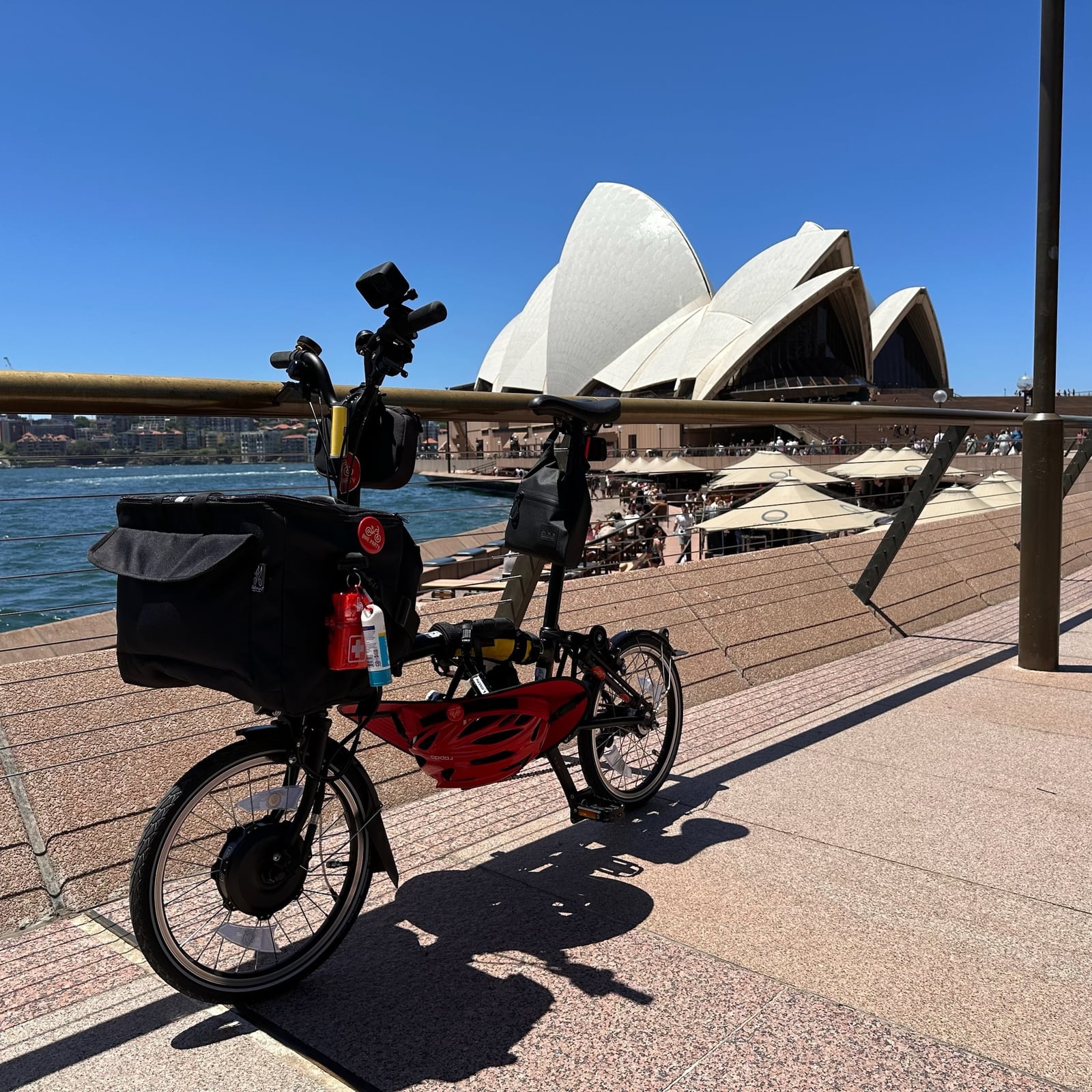
Every ride deserves a good story. Since earlier this year you’ve been able to turn any recorded ride into a Strava-style share card — your route, your stats, your photo or video — rendered right on your phone and ready for social media. With Party Onbici 2.5.0, that card finally speaks your language: every label, number, unit, currency, date and even the layout direction is now localized across all 21 languages we support.
Here’s what’s new, how to make one in seconds, and a peek at how we render the very same ride in twenty-one languages.
📇 What’s a share card, again?
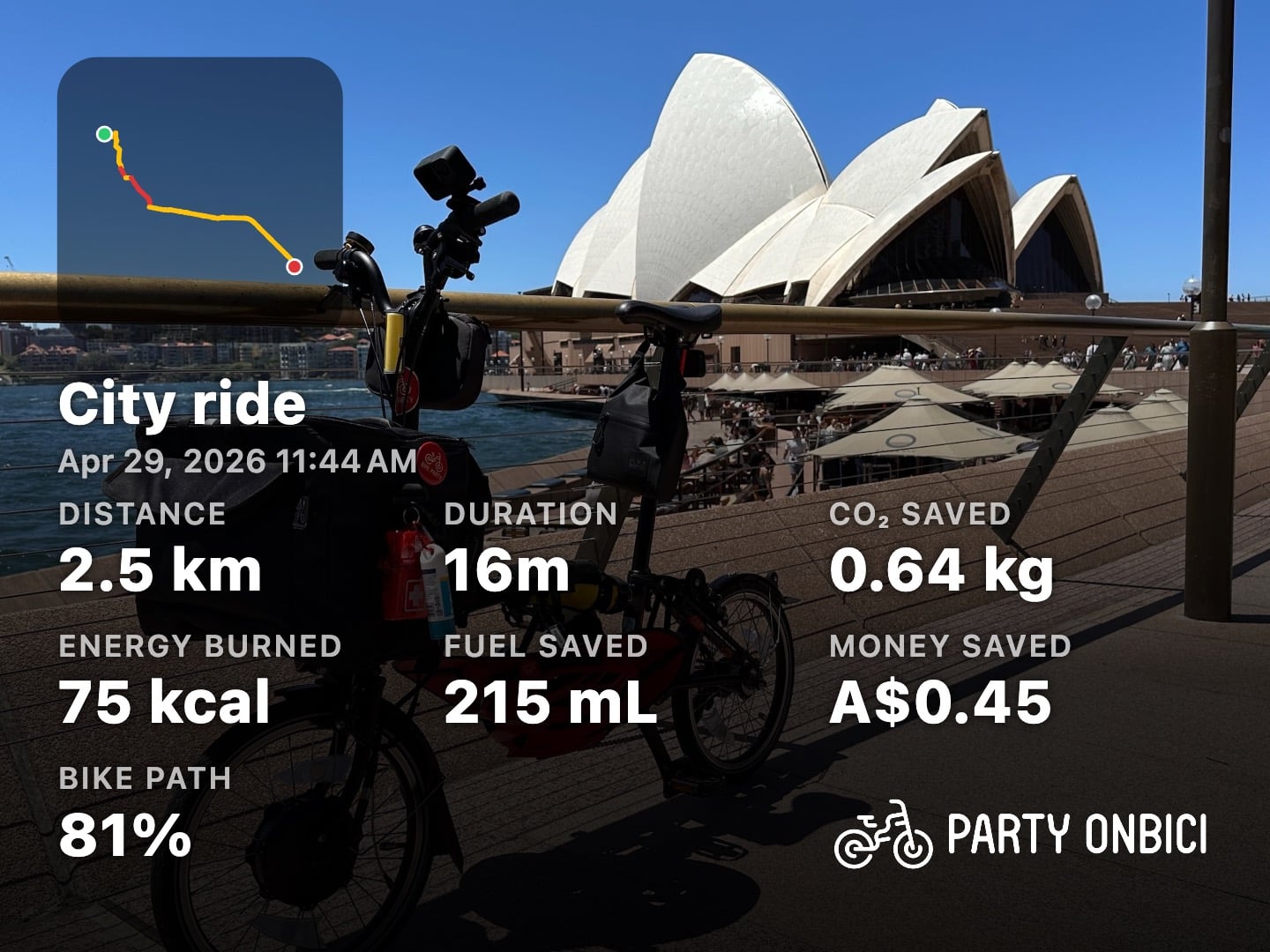
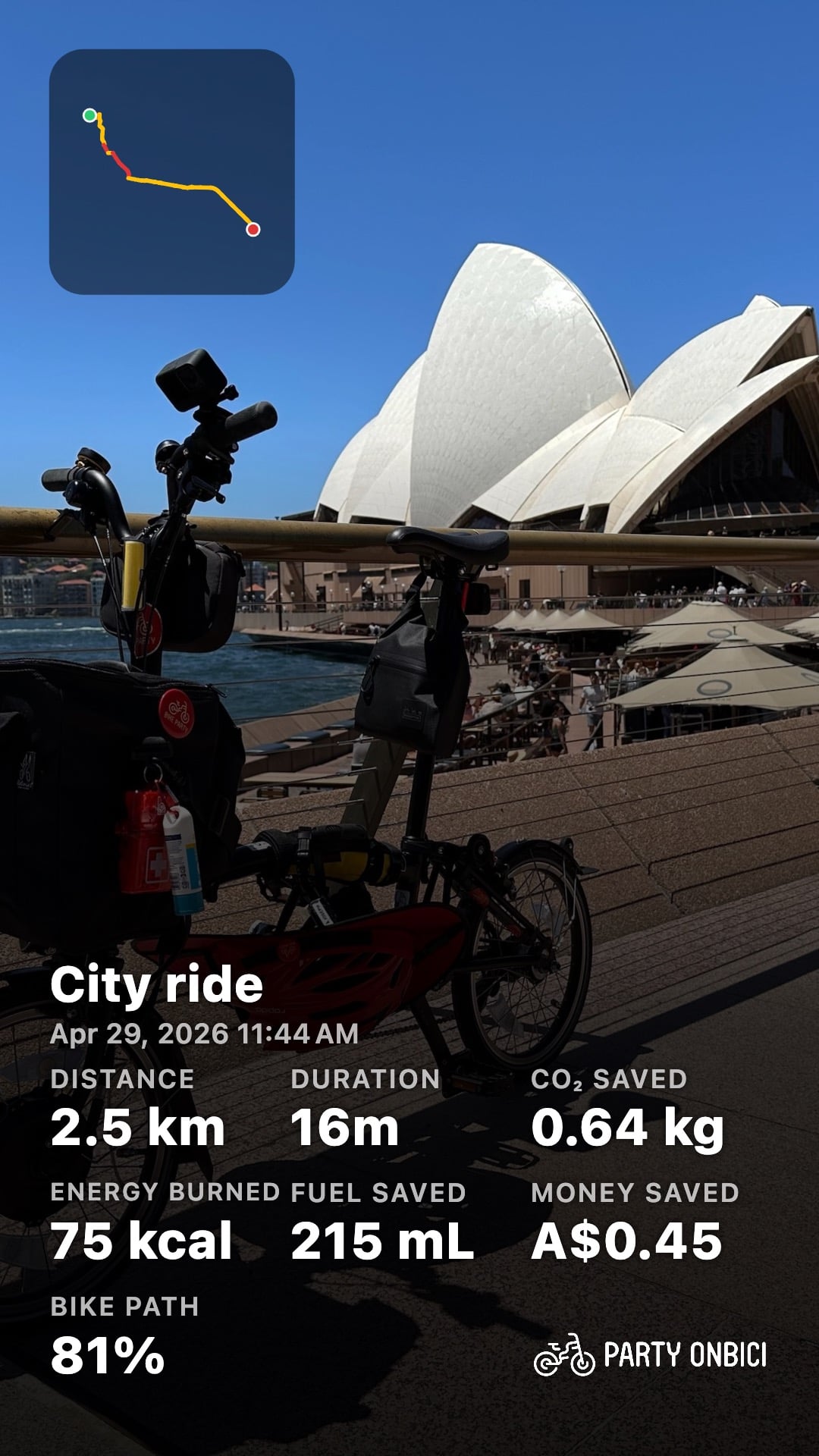
A share card is a beautiful, social-ready snapshot of a single ride. Pick a ride from your history, and Party Onbici draws your route, overlays the stats you care about — distance, duration, bike-path %, CO₂ saved, calories, and more — on top of the map, a plain route, your own photo, or a video clip, finished with a tidy watermark. It comes in five aspect ratios so it fits whatever feed you’re posting to, and it can be a still image or a short animated clip that draws your route on.
The important part: it’s all generated on your device. No ride data is uploaded to make a card.
🌍 Now it speaks your language
This is the headline of 2.5.0. Until now, the stat labels on a share card were English-only — everyone got DISTANCE, BIKE PATH, MONEY SAVED, no matter which language they used the app in. Not any more.
Here’s the exact same ride, rendered in your language — a still card beside the animated “route-draw” video:
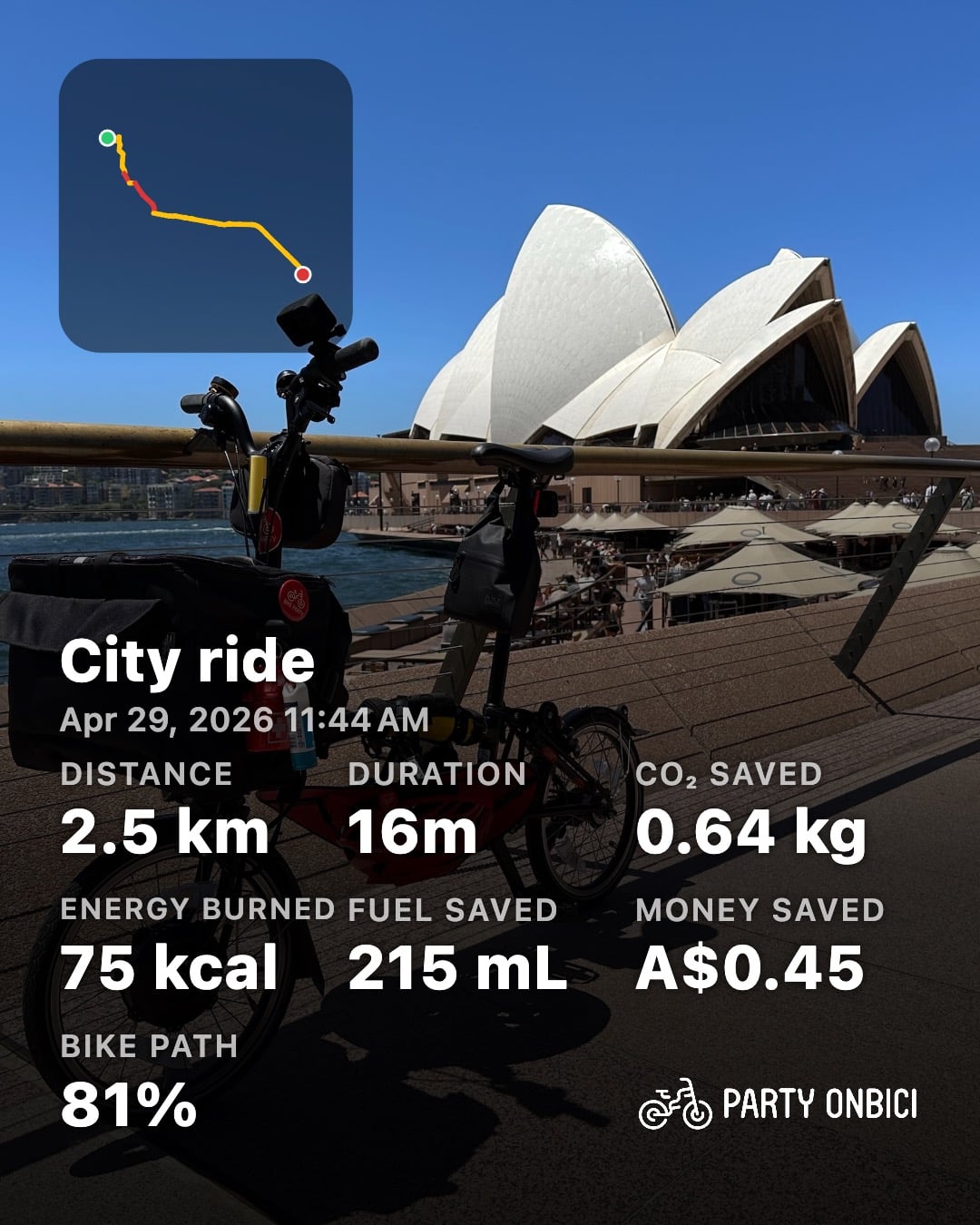
Localizing a data-dense graphic is more than swapping words. Every one of these travels with your locale:
- Labels —
Distance,Duration,Energy burned,Bike path, translated and, where a language runs long, sized to still fit the card. - Numbers — Western Arabic
2.5, Eastern Arabic-Indic٢٫٥, a decimal comma2,5— whatever your language actually writes. - Units — kilometres or miles,
kg/kcal/mLspelled the local way. - Currency — money saved shows in your region’s currency and format.
- Dates — the ride’s date and time formatted for your calendar and clock.
- Direction — for right-to-left languages like Arabic the entire card mirrors: the route badge, the stat grid and the watermark all flip to read naturally.
A few languages side by side make it obvious — same bike, same Sydney morning, same numbers underneath:
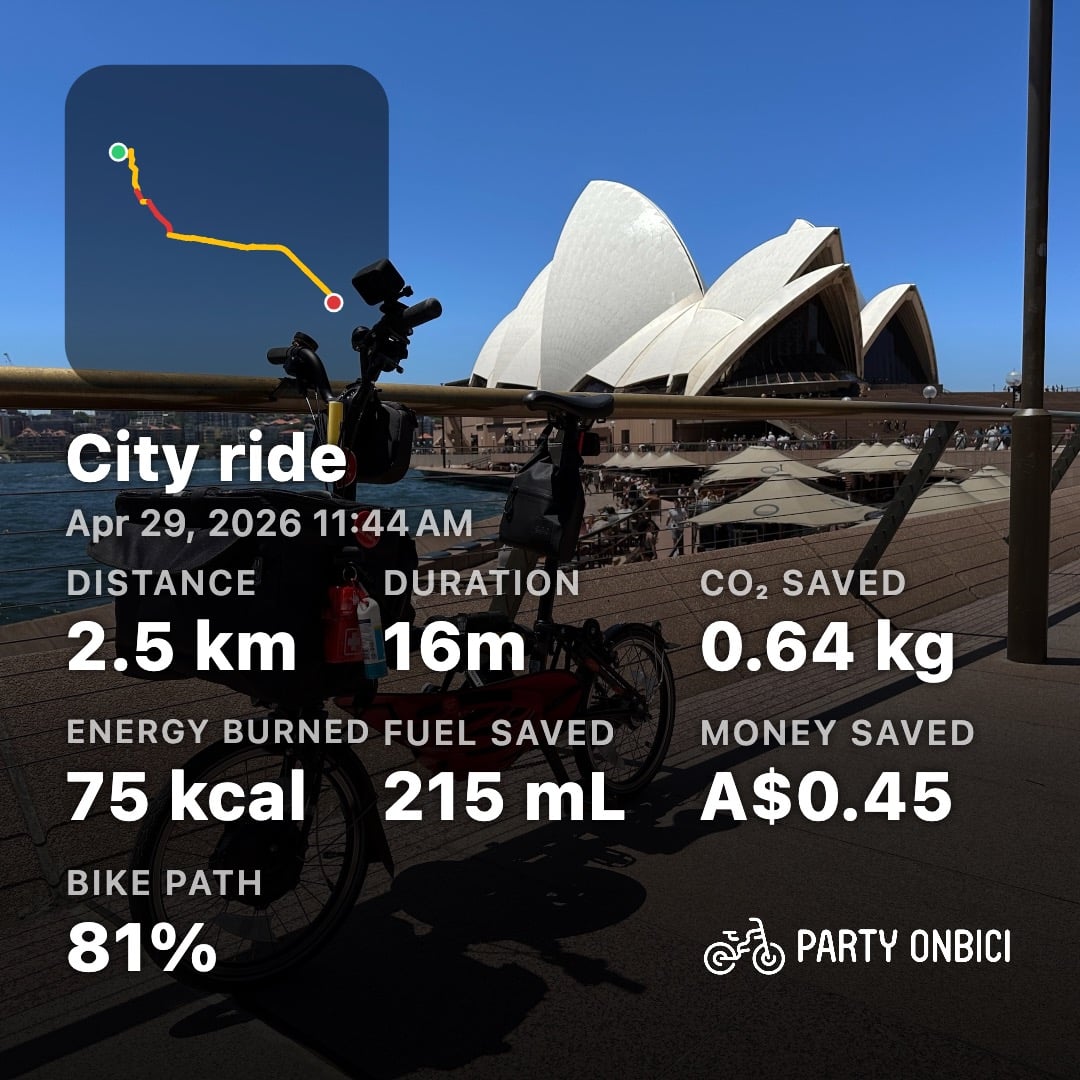
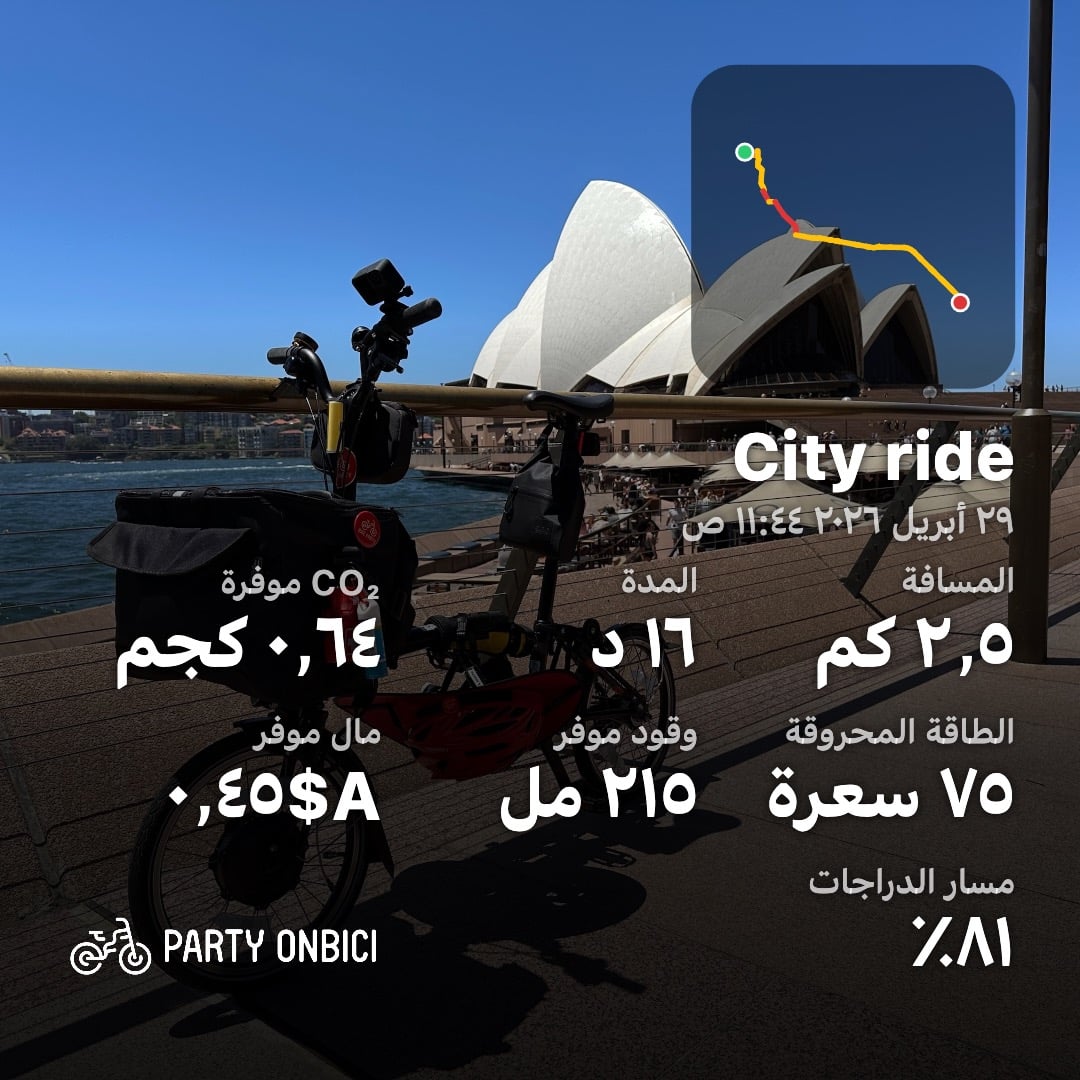
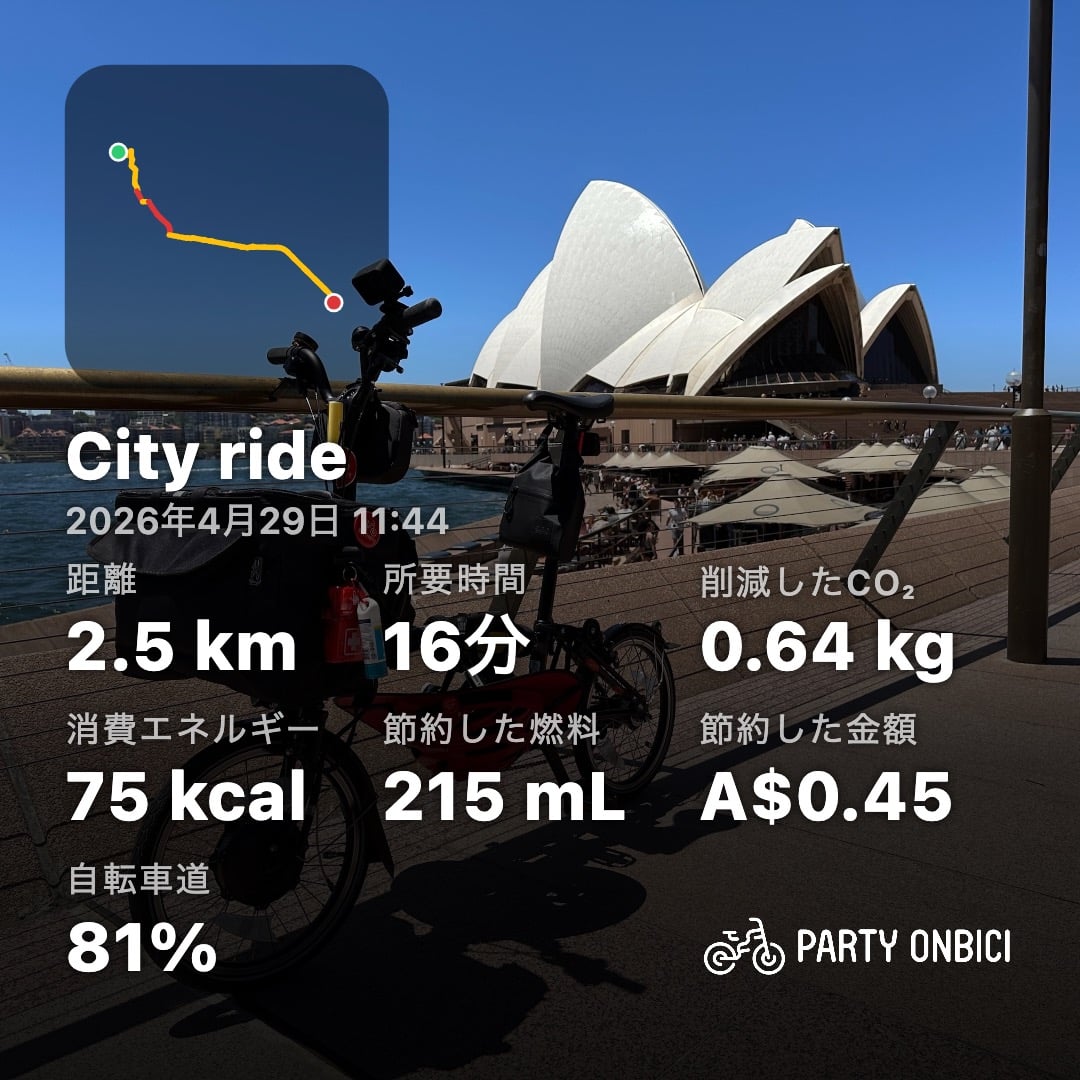
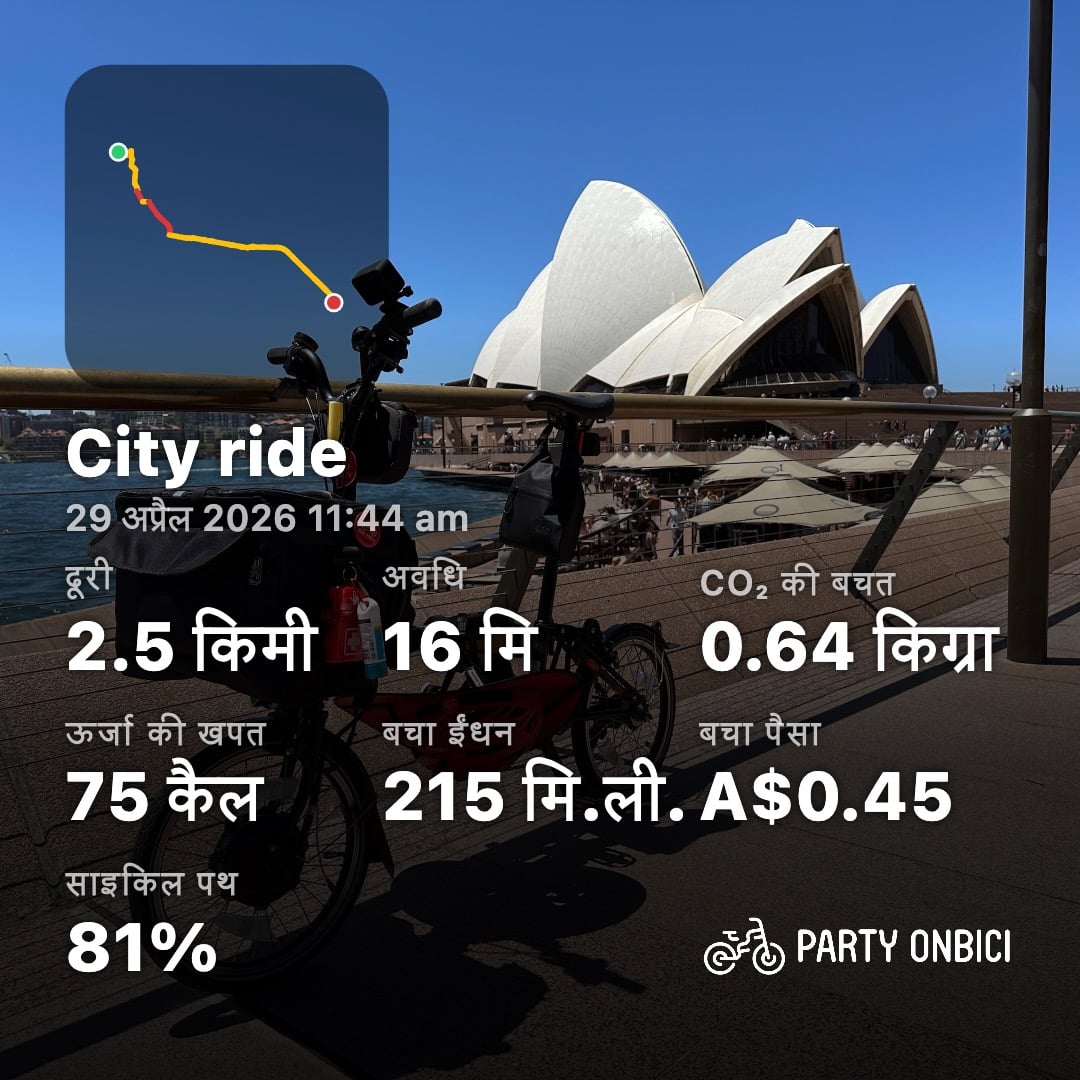
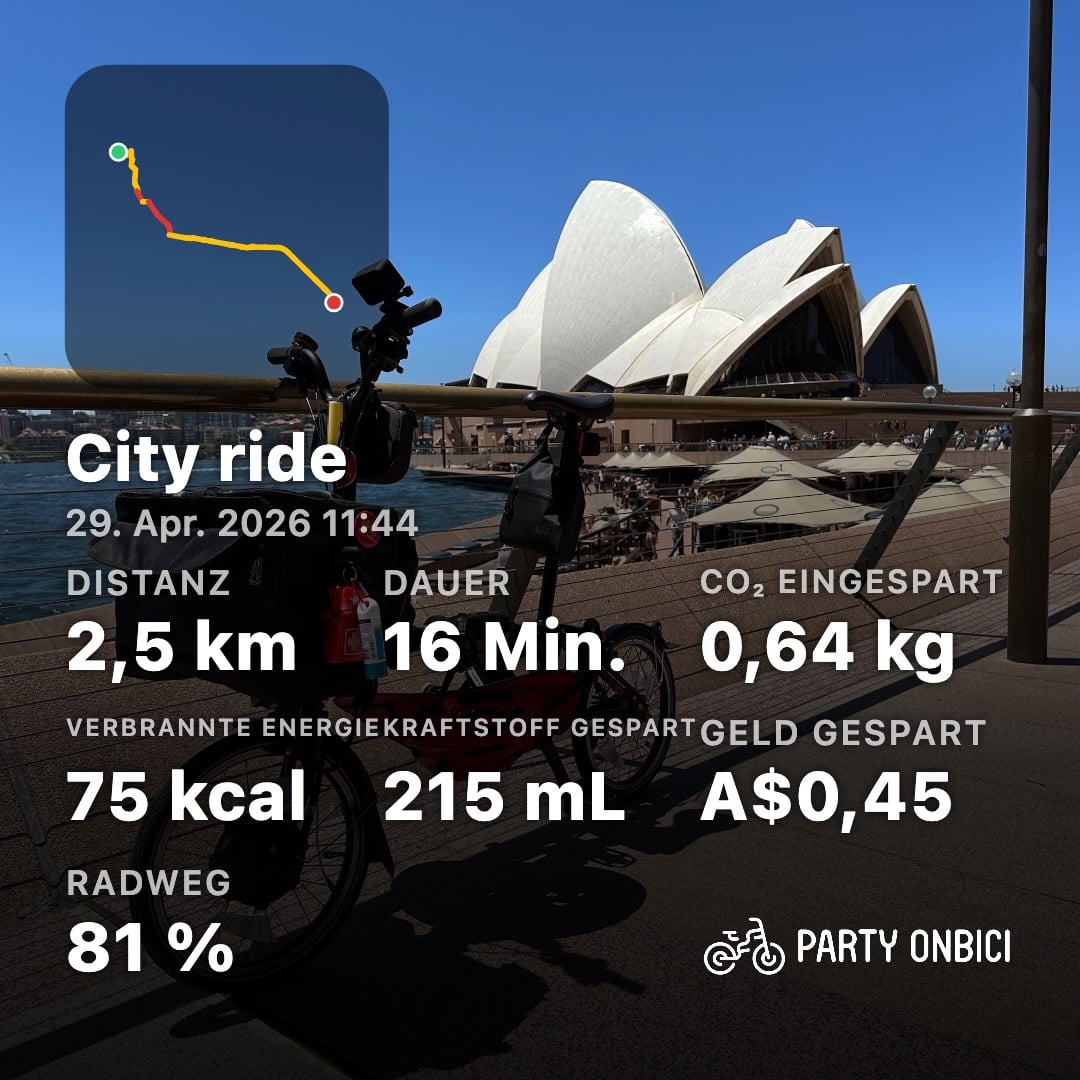
One thing that doesn’t translate: the ride’s title. “City ride” is text you typed, so we leave it exactly as you wrote it — your words, your language, always.
🖼️ Five shapes for every feed
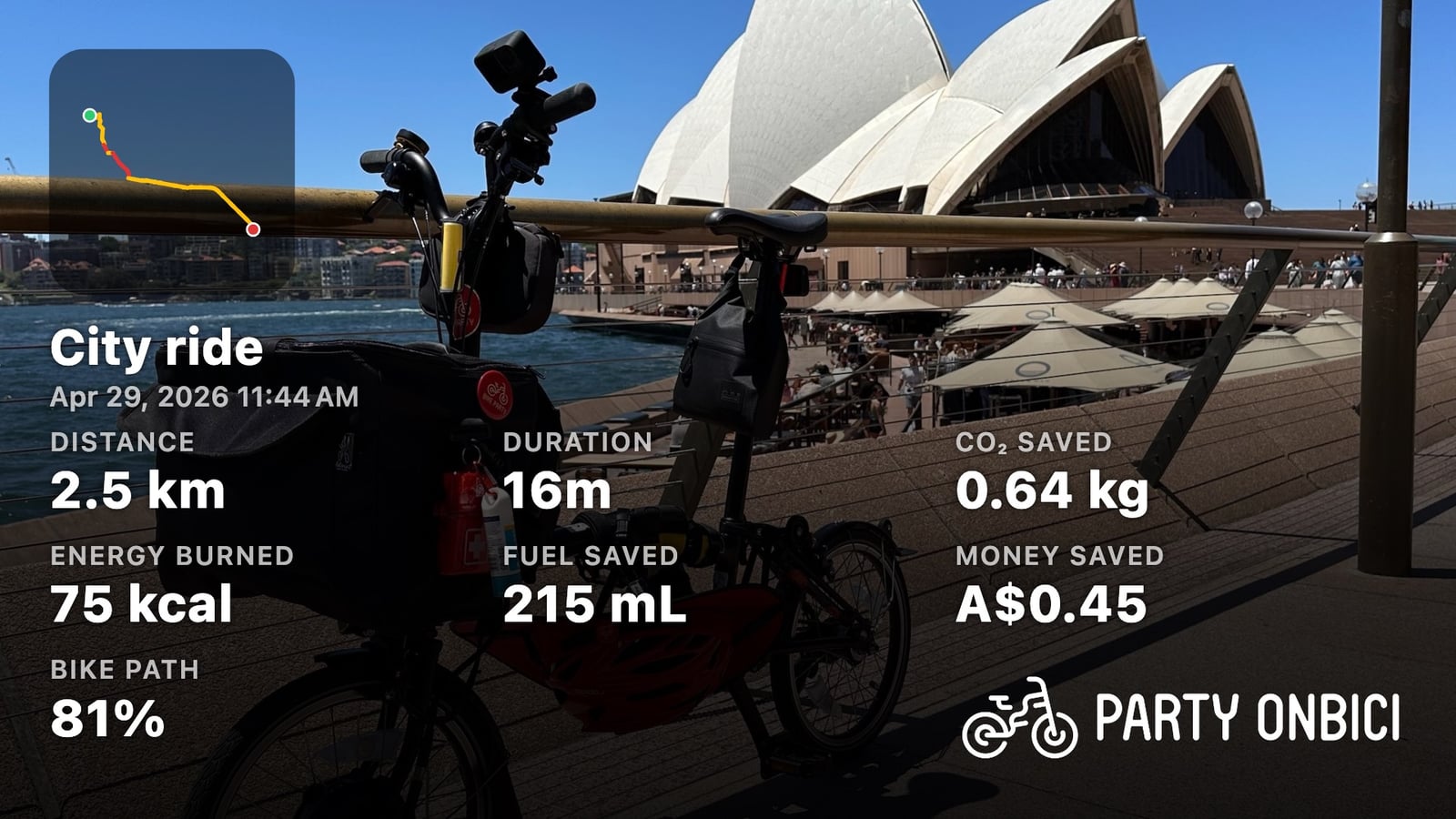
Different platforms, different frames. Party Onbici ships five formats at 1080 px on the short edge, and you can switch between them with a tap:
📷 Make one from any ride
You can have a card ready to post in well under a minute:
- Open ride history and tap the ride you want to share.
- Tap the camera (📷) action in the ride’s app bar. The editor opens straight onto a video with a satellite map behind your route — our most shareable default.
- Choose your background: the live satellite map, a clean route-only look, one of your own photos, or one of your own videos (the route and stats composite right on top).
- Toggle and reorder the stats — tap a chip to add or remove it, long-press to drag it into the order you want.
- Pick your format, then Save to Photos or Share.
Because everything is rendered locally, a card works offline, nothing about your ride leaves your phone to create it, and any photo or video you add is stripped of its metadata first. Share the story, keep the private bits private.
✨ More sharing polish in 2.5.0
The localization is the star, but the whole sharing flow got a tune-up:
- Rider count, front and centre — party rides now show how many people rode, right beside your bike-path percentage.
- Elevation joins the defaults — climbed a hill? It’s offered in the default stat set now.
- Better video export — exporting a card over your own video clip no longer hangs on iOS, your clip’s audio is preserved, and there’s a new mute toggle when you’d rather post it silent. Behind the scenes, an HDR-safe transcode path keeps colours true.
- Your caption, not ours — we removed the auto-inserted caption text, so the words are yours to write.
And beyond sharing, 2.5.0 carries a broad native-feel refresh on iOS — adaptive controls, dialogs and icons across the app — plus the usual raft of stability fixes.
🛠️ Behind the scenes: one ride, twenty-one languages
A fun detail for the curious. The cards and videos above weren’t mocked up in a design tool — they were produced by the exact same rendering code that runs in your pocket.
A single painter draws the live preview, the exported image, and every frame of the video, so what you see while editing is pixel-identical to what you post. To make the localized set for this very post, we take one fixed ride — a 2.5 km spin past the Opera House — and one photo, then render it once per locale through that production renderer. The animated videos take the same route-and-stats overlay and composite it over a rider’s clip. Twenty-one languages, one source of truth, zero hand-editing — which is exactly why the Arabic card mirrors correctly and the numerals are right: the app did it, not us.
Get the update
Party Onbici 2.5.0 is rolling out now on the App Store and Google Play. Update, ride somewhere you love, and make a card worth sharing — in your language.
Happy riding! 🚴